
How it works
A spare iPhone, a windowsill, two minutes.
Sill turns an iPhone you already have into a camera that watches your window all day and keeps every bird that comes by.
What you need
- An iPhone XS, XR or newer (iOS 17 or later). A spare one from a drawer is perfect; it needs Wi-Fi to set up, not a SIM card.
- Its charger, and a plug near the window.
- A window that looks out on a feeder, a branch, a birdbath or a ledge where birds land.
1. Stand it on the sill
Rest the phone against the glass with the back camera facing out. A small phone stand, a book or the window frame holds it up. Plug it in.
2. Frame the spot
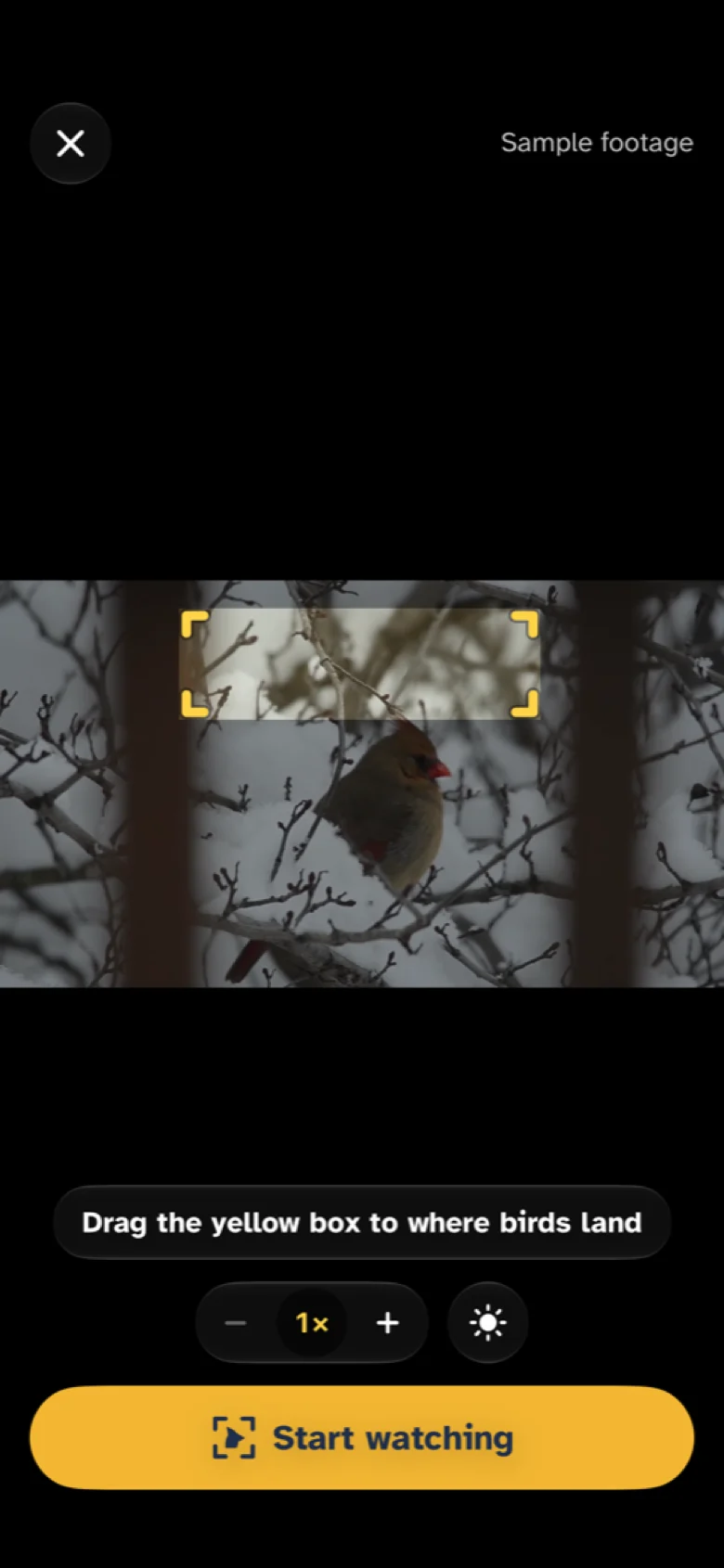
Open Sill and tap Watch. You’ll see the view with a yellow box. Drag the box over the place birds land, and drag its corners to size it. Zoom in if the feeder is far away. Sill checks the picture with you: light, focus and steadiness.
3. Tap Start watching
Sill watches. When nothing is happening the screen rests fully dark, like a picture frame, and shows the time and today’s birds when you glance at it. When a bird lands inside the box, Sill keeps a short clip.
4. See who came
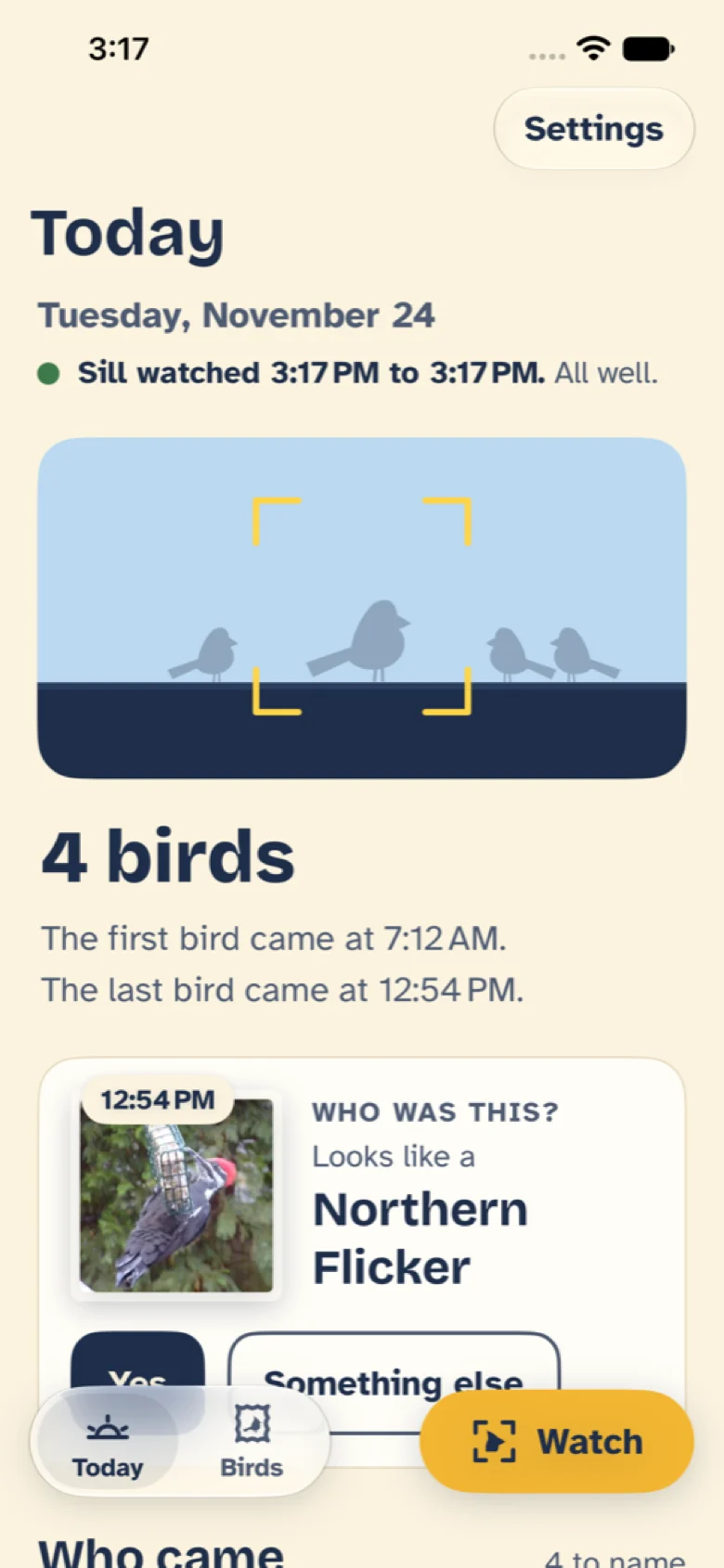
Pick up the phone from the sill whenever you like. Today shows every visit with its time, the first bird and the last, and who Sill thinks each one was. Tap Yes to name a bird, and the first of each kind becomes a stamp in your album.
Good to know
- Battery and heat: keep it plugged in. Sill rests the screen dark and pauses if the phone ever gets warm, then carries on.
- Through glass: works well up close to the pane. Very bright sky behind a feeder? Nudge the brightness control while framing.
- At night: birds sleep; Sill can rest until morning.
- Sharing: open any visit and send a postcard to the family. They don’t need the app.
How it works
Three steps, two minutes.
No mounting, no wiring, no account. If you can stand a photo frame on a shelf, you can set up Sill.
- 1
Stand it on the sill
Any iPhone XS or newer, plugged in, back camera to the glass. A little stand or a book behind it works fine.
- 2
Frame the spot
Drag the yellow box over the feeder or branch where birds land. Sill checks the picture with you.
- 3
Tap Watch
That's it. Sill rests the screen dark and keeps a short clip of every bird that lands, all day.
Ready when you are.
Stand the phone on the sill and tap Watch.
Coming soon to iPhone · Pay once · No subscription